Project note
Bulk DOCX Text Replacer
A local workflow for making a defined, reviewable change across a Veeva Vault document export instead of opening, editing, and re-uploading Word files one at a time.
Context
Promotional-material maintenance can involve a Veeva Vault bulk export of documents alongside its metadata. The document changes may be straightforward, but applying them individually is slow and makes it harder to show exactly what was changed. I wanted to reduce the manual work in the download-and-edit part of that process while retaining a clear record for review.
Approach
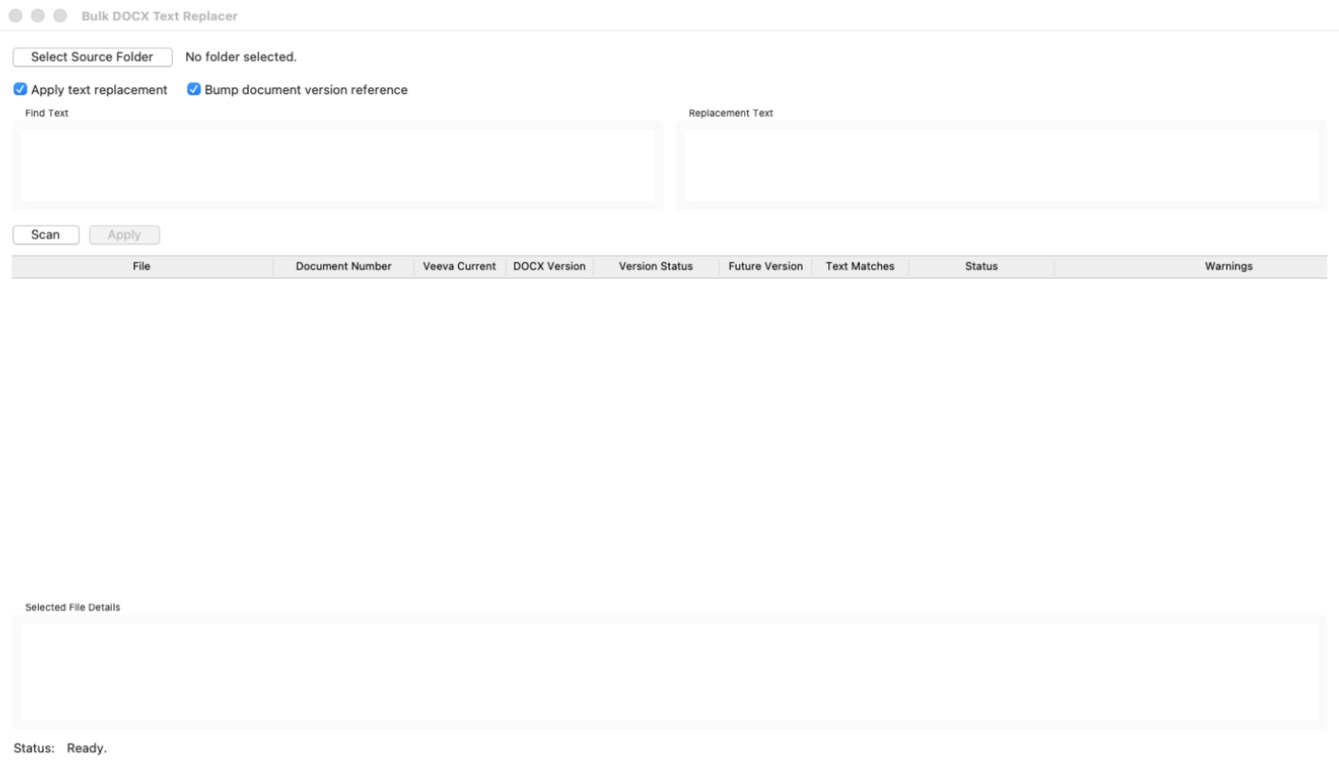
I built a small Python desktop application that scans a selected folder of DOCX files, accepts an exact text replacement, and can update an eligible in-document version reference. When an Export_Summary.txt file from Veeva is present, it matches document numbers to the metadata, validates that the document is suitable for update, and uses Veeva's next major version. The scan view makes the current DOCX and Veeva versions, proposed future version, text matches, statuses, and warnings visible before any output is created.
What happened
The application turns a repetitive set of document edits into a controlled batch operation. It creates updated copies in a timestamped output folder, leaves the source DOCX files untouched, and records the result in JSON and CSV evidence artifacts that can accompany the work for review.
Working with AI
Codex supported the implementation and test coverage. The important human decisions were defining the boundaries: exact-match replacements rather than generative rewrites, no overwriting of originals, validation against export metadata where available, and reports that make skipped files, warnings, and completed changes inspectable.
Key details
- The scan view shows document numbers, Veeva and DOCX versions, proposed future versions, text matches, statuses, and warnings before Apply is enabled.
- Original DOCX files are preserved; updated copies are written to a timestamped output folder.
- JSON and CSV reports provide a record of updates, skipped files, warnings, and errors.
Tools and method
The application uses Python and Tkinter for a local desktop interface. Its DOCX processing works across supported Word text parts, including document bodies, headers, footers, footnotes, endnotes, and comments. It reads the Veeva Export_Summary.txt as tab-delimited metadata and writes replacement_report.json and replacement_report.csv alongside the timestamped output folder.
Lessons learned
Bulk editing becomes safer when the operation is explicit and the evidence is part of the workflow rather than an afterthought. The useful design question was not only whether a replacement could be made, but which documents should be skipped, how a proposed version should be derived, and how a reviewer can see the result without reconstructing it from the files.
Limitations
The application covers the download-and-edit portion of the wider Vault workflow; it does not upload documents back to Veeva Vault. It is designed for defined replacements in a controlled export, and documents with unusual content, ambiguous metadata, or more than one eligible version reference are flagged rather than silently changed.
Next step
Use the tool with representative bulk exports, review the evidence artifact with the people responsible for the Vault workflow, and refine any validation rules that repeated real-world use shows are necessary before extending the scope further.